This week we are discussing mobile learning or M-learning. For this topic we read Lei & Zhao's academic paper entitled One-to-one computing: What Does It Bring to Our Schools (2008, Journal of Educational Computing Research). One particularly interesting idea within this paper was the idea of "oversold and underused." Lei & Zhao explained,
One criticism of sizable expenditures for computers in schools is that computers
are often “oversold but underused” (Cuban, 2001). In other words, computers are
purchased and put in classrooms but are not sufficiently utilized by teachers
and students. In a one-to-one computing environment, does this criticism apply?
When every student has a computer, will it still be “oversold and underused?”
This idea of "oversold and underused" made me flashback to my junior year of high school. Though this is not a story about one-to-one computing or mobile learning, it is about this concept of "oversold and underused" in a school system. I was a junior in high school back in 1999. I was taking Mr. Urbanek's [picture a tall, skinny middle aged man with long blonde hair. he was seriously stuck in 1970. he seriously brought a deer head in to school and let it decompose in a garbage can in his office all year. yah. no joke. he was a weird bird.] biology class. As a culminating end-of-the-year project we had to create a portfolio of , well, to be honest, I don't remember what the portfolio was on. I do remember we had to use sources from newspapers, encyclopedias, journals, magazines, etc. and NO MORE than two from the internet. My parents had just invested in Encarta for home use (for those who are unfamiliar with Encarta it was basically an encyclopedia on a cd-rom). For Mr. Urbanek's project, I used Encarta for many of my sources. It was, after all, an encyclopedia. When I got my project back I got a big, fat F. The reason: too many internet sources. I was upset. Encarta was NOT the internet but he didn't want to hear it. In his mind, anything from a computer was "the internet". In the end, I set-up a meeting with the principal and sold my case. My mom, too. They were pushing technology and "computer labs" so much during this time. However, there was a teacher failing a student on a project because she used this "technology." The principal forced Mr. Urbanek to change my grade. He was seriously upset at the meeting and changed it with disgust and extreme reservation.
So, when this concept of "oversold and underused" was brought up this week it really resonated with me and this experience in high school (when technology was really being pushed in schools for the first time - besides Math Blaster and Oregon Trail, that is.). Technology in education is important. It's a skill set that every 21st century learner needs. Do I believe it should be at the forefront of every lesson - no. Do I think is the missing puzzle piece to improve the malfunctions of America's schools - no. Can it replace a teacher - absolutely not. I do, however, feel it is a valuable tool for educators and learners. Add it to our already brightly decorated and efficient teacher toolboxes. The problems lie currently with some educators using this said technology inappropriately (as a babysitter) or simply not being trained to use it effectively within their lessons (and, of course, classroom management skill sets need to be on point for effectiveness!). And, in some cases, they are simply too scared or grumpy to use/ try it. More professional development is needed for educators when it comes to implementing technology so it is worthwhile for the students and teacher. Looking back, poor Mr. Urbanek likely didn't understand the difference between the internet and a CD-rom/computer based encyclopedia. I know there are educators just as confused or technology illiterate in our present day schools. This needs fixed. We can't allow technology to be oversold and underused. It's simply not fair to our 21st century learners. And, frankly, to our teachers, too.
That's a wrap.
Sara

Tuesday, October 11, 2016

Tuesday, October 4, 2016
To Incorporate or Not?
This week we are discussing the use of social media in the classroom. Of course - surprise, surprise - social media also happens to be yet another popular Web 2.0 application. When I taught I used Facebook for the co-curricular club I advised Family, Career and Community Leaders of America (FCCLA). By using the Facebook platform, I was able to post reminders and information to club members about club meetings, fundraisers, competitions and field trips. It beat the old school afternoon announcements or bulletin boards. Students actually got the information! Score. I never delved into the world of social media in my classroom beyond this. I did have issues with parents wanting to "friend" me on Facebook and that was a slippery slope that was rather stressful (I was "friends" with some "parents" before I even started teaching their children but to the outsider it could have appeared differently). I agree "friending" parents blurs the lines. And, well, don't get me started on teachers "friending" students with their personal sites. I really appreciate the suggestion this week of creating a professional Facebook page and including it in one's parent letter at the beginning of the school year. No more parents searching for you on social media sites. And, well, if they do, no pressure to approve their invites with your personal accounts.
Though I may be the minority on this topic, I feel that social media is a Web 2.0 application that can simply be left out of the classroom. First, please understand that I am speaking purely about classroom use of popular, public social media sites (you know, Facebook, Twitter and all that jazz!). Of course social media has a place in the "business" realm of education (i.e. private school use to publicize and promote, school district twitter accounts, etc.). As I read one of this week's articles for class, I continually found myself agreeing with Gail Lecht's arguments for why it shouldn't be used in the classroom. Or, perhaps, used very sparingly. Though teaching students how to be media-literate is very important, I think we can manage to do this without having to incorporate Facebook or Instagram in our classrooms or lessons. Call me old school or a worry-wart, but I simply am not willing to take on that liability as a teacher. All it take is for one poor student choice, one mistake in your lesson delivery/implementation or one student who knows a little bit more than you about that social media site and you will be in a closed door, sweaty meeting at the central office faster than the speed of light! Besides, there are amazing educational social media platforms for teachers to use that are much safer for our student's privacy & digital footprints. I even struggle with using Facebook or Twitter for communication only. Even if I protect the account, it is/was possible for some weirdo to know that my club is/was meeting here or there at 2:30pm. So, um, yah, I am incredibly sheepish of social media in the classroom. If I am going to use it, I'd prefer to use sites designed only for schools/classrooms with regulated safety certifications ---- not common social media sites for Grandma Betty and the average Joe, too.
Which brings me to my favorite part: social networking sites made for teachers! Enjoy, you social media, Web 2.0 addicts:
https://www.classdojo.com/
https://redcritterteacher.com/home
https://www.edmodo.com/
https://www.nearpod.com/
Top Social Networks for Students & Teachers
Peace,
Sara
Though I may be the minority on this topic, I feel that social media is a Web 2.0 application that can simply be left out of the classroom. First, please understand that I am speaking purely about classroom use of popular, public social media sites (you know, Facebook, Twitter and all that jazz!). Of course social media has a place in the "business" realm of education (i.e. private school use to publicize and promote, school district twitter accounts, etc.). As I read one of this week's articles for class, I continually found myself agreeing with Gail Lecht's arguments for why it shouldn't be used in the classroom. Or, perhaps, used very sparingly. Though teaching students how to be media-literate is very important, I think we can manage to do this without having to incorporate Facebook or Instagram in our classrooms or lessons. Call me old school or a worry-wart, but I simply am not willing to take on that liability as a teacher. All it take is for one poor student choice, one mistake in your lesson delivery/implementation or one student who knows a little bit more than you about that social media site and you will be in a closed door, sweaty meeting at the central office faster than the speed of light! Besides, there are amazing educational social media platforms for teachers to use that are much safer for our student's privacy & digital footprints. I even struggle with using Facebook or Twitter for communication only. Even if I protect the account, it is/was possible for some weirdo to know that my club is/was meeting here or there at 2:30pm. So, um, yah, I am incredibly sheepish of social media in the classroom. If I am going to use it, I'd prefer to use sites designed only for schools/classrooms with regulated safety certifications ---- not common social media sites for Grandma Betty and the average Joe, too.
Which brings me to my favorite part: social networking sites made for teachers! Enjoy, you social media, Web 2.0 addicts:
https://www.classdojo.com/
https://redcritterteacher.com/home
https://www.edmodo.com/
https://www.nearpod.com/
Top Social Networks for Students & Teachers
Peace,
Sara
Tuesday, September 27, 2016
Podcasting
This week our topic of research and discussion is on personal broadcasting. Which, of course, is yet another Web 2.0 application that educators can use in the classroom. Wowza - Web 2.0 applications just keep coming, folks! Of course, you can make your own podcasts as an educator using platforms like this or that or this. And, let's not forget about the opportunity for your very own, bright, amazing, students to create their very own podcasts, too! You can also find some credible podcasts wrapped up with a bow for you or your students to enjoy all over the internet, too. I just spent the entire day lost in podcast land. Seriously. Click on any Ted Talks podcast and you will be lost with your headphones on for hours (for non-apple users, you can also locate them on YouTube). [Side note: If you are a fan of Ted Talks, they have this amazing lesson plan resource for educators. Oh, and this, too.]
When I was teaching [you know, before my unpaid sabbatical to raise three adorable little kids], I never thought to use podcasts in the classroom. However, after this week, and quite frankly after getting lost in podcast land this afternoon, I can see how valuable they are/could be in the classroom AND out of the classroom. Podcasts have their disadvantages, sure (i.e. if using pure audio podcasts you are only targeting auditory learners, if you don't go beyond the podcast their is no interaction - just boring, classic listening). But, they also have tremendous advantages: remediation, for use when a student is absent, cost is typically free, possibility for expansion activities and they can simply spice up the instructional period.
So, once again, Web 2.0 can transform the way we can teach or learn. You never know, you may have this lil' guy in your classroom waiting to be challenged and unleashed:
Other helpful podcasting in the classroom resources:
51 Education Podcasts For the 21st Century Teacher
Best Education Podcasts
Teacher's Guide to Podcasting
How To Make a Successful Podcast
The Podcast Consumer
When I was teaching [you know, before my unpaid sabbatical to raise three adorable little kids], I never thought to use podcasts in the classroom. However, after this week, and quite frankly after getting lost in podcast land this afternoon, I can see how valuable they are/could be in the classroom AND out of the classroom. Podcasts have their disadvantages, sure (i.e. if using pure audio podcasts you are only targeting auditory learners, if you don't go beyond the podcast their is no interaction - just boring, classic listening). But, they also have tremendous advantages: remediation, for use when a student is absent, cost is typically free, possibility for expansion activities and they can simply spice up the instructional period.
So, once again, Web 2.0 can transform the way we can teach or learn. You never know, you may have this lil' guy in your classroom waiting to be challenged and unleashed:
Other helpful podcasting in the classroom resources:
51 Education Podcasts For the 21st Century Teacher
Best Education Podcasts
Teacher's Guide to Podcasting
How To Make a Successful Podcast
The Podcast Consumer
Tuesday, September 20, 2016
Web 2.0 - Blogs!
This week we are discussing Web 2.0 - which also happens to be the topic of my assigned information technology for this blog [cha-ching!]. So, I have decided to make this post entirely about blogging ---- a popular Web 2.0 application in the classroom.
If you are new to blogging or simply aren't exactly sure how to incorporate blogging into the classroom, please check out these handy dandy links. No need to reinvent the wheel here, folks. The internet is chalked full of "blogging in the classroom" ideas and information! Obviously, you can complete searches that are content specific to your teaching specialization.hbo
If you are new to blogging or simply aren't exactly sure how to incorporate blogging into the classroom, please check out these handy dandy links. No need to reinvent the wheel here, folks. The internet is chalked full of "blogging in the classroom" ideas and information! Obviously, you can complete searches that are content specific to your teaching specialization.hbo
- Blogging in the 21st Century
- Read Write Think - Teaching with Blogs
- Ultimate Guide to the Use of Blogs in the Classroom
- How to Blog with Young Students
Now, for the fun stuff! Below are links to blogging sites/applications that really work for teachers:
- Audio Boom - audio blogging site.
- Blogger - blogging platform.
- EduBlogs - blogging platform designed for teachers (so cool!).
- iPadio - broadcast from your phone to the internet live.
- Podomatic - a podcast publication tool.
- Tumblr - simplified blogging platform.
- Vocaroo - very barebones website but allows you to record your voice so you can email it or post it online.
- Voice Thread - if you visit the website, watch the video of Micheal Fort
- Wikispaces - free for educators!
- Word Press - blogging platform.
Of course, this list is just to get you started. There are many , many more blog applications for teachers to use.
When I taught in Virginia I use to keep a class blog for my preschool parents. With the parents prior written permission, I would post daily with photos from our day in preschool, our daily objectives and any other administrative information. The blog was password protected so only invited readers could access it. The parents loved it and it served as a superb communication tool. So, take a minute to think about it: How could you use blogging in your classroom?
Cheers to Blogging,
Sara
Tuesday, September 13, 2016
Share it or Sell it or Stay in your Classroom?
This week in IDE 611 we are discussing "Online Resources for Educators." We are dissecting topics of credibility of online sources, accessibility and wrestling with the question of can technology really enhance teaching and learning. While reading the introduction of the week's topic by Professor Lei, I had some rather passionate feelings/opinions when I clicked on this link/article she posted: Should Teachers Be Allowed to Sell Their Lesson Plans?
Let me back up a few years. I was the lead Family Consumer Science teacher at our high school. We had two new Family Consumer Science teachers join our school/team. I knew what it was like to start as a new teacher and feel like you were drowning. So, after a little subtle hinting from my administration, I forked over my insanely huge lesson plan binders that I bled and sweated over for countless, sleepless years. My teaching bible, if you will. As soon as I handed it over, I pretty much wanted to cry. The next thing I knew these new teachers were relaxing and socializing during the weekends and week nights. Arriving before the morning bell and leaving after the last afternoon bell. Meanwhile, I showed up early and left way too late. They didn't have to spend 20+ hours every weekend lesson planning like I did my first year teaching. They were just photocopying my lessons and materials and using them with ease. My intellectual property was now theirs. My pride and joy. No one ever handed me anything when I started teaching. I recreated the wheel for everything. I was jealous. Sure collaboration isneeded necessary between educators. I loved seeing what amazing things my colleagues were doing (within my discipline and outside of it)! And, we should share ideas. Make each other better educators. But, to reference the article I post above, those lessons were mine. The school did not "own" them. I mean, seriously, what teacher actually uses their planning period to actually "plan." Rather, they squeeze in a much needed bathroom break and are slammed with meetings, communicating with parents, professional development meetings, grading (if you are lucky!), making copies, advising co-curriculars/clubs, given an assigned duty, or asked to cover another teacher's class. The list goes on.
So, should I be able to sell my intellectual property? My lesson plans. I believe so. Should I collaborate, open up my filing cabinet and share with my colleagues - absolutely! But, I do believe that it should be my choice what I should do with my intellectual property. The school pays me to educate students --- which is what I do during my contractual time ---- But, everything that needs to be completed so I can teach during my contractual time is done on my time. I don't think I am the exception to this reality. Teachers in our country work hard. Very hard. Don't get me started on the "but they have their summers off" argument (when I taught I spent some of my summers on required professional development conferences and taking students in my co-curricular organization to student competitions for days at a time). Or, the classic "don't work a full day" argument. If you do, well, you may unleash a very scary blogger... I am not trying to be a teacher martyr but, well, it never hurts to express your feelings. It's healthy, right? ;)
So, given the topic for this post, I felt it was only fitting that I share some Web 2.0 lesson planning tools with you, my dear fellow readers. Maybe for you to use -- or to make some extra money with:
Cheers,
Sara
Let me back up a few years. I was the lead Family Consumer Science teacher at our high school. We had two new Family Consumer Science teachers join our school/team. I knew what it was like to start as a new teacher and feel like you were drowning. So, after a little subtle hinting from my administration, I forked over my insanely huge lesson plan binders that I bled and sweated over for countless, sleepless years. My teaching bible, if you will. As soon as I handed it over, I pretty much wanted to cry. The next thing I knew these new teachers were relaxing and socializing during the weekends and week nights. Arriving before the morning bell and leaving after the last afternoon bell. Meanwhile, I showed up early and left way too late. They didn't have to spend 20+ hours every weekend lesson planning like I did my first year teaching. They were just photocopying my lessons and materials and using them with ease. My intellectual property was now theirs. My pride and joy. No one ever handed me anything when I started teaching. I recreated the wheel for everything. I was jealous. Sure collaboration is
So, should I be able to sell my intellectual property? My lesson plans. I believe so. Should I collaborate, open up my filing cabinet and share with my colleagues - absolutely! But, I do believe that it should be my choice what I should do with my intellectual property. The school pays me to educate students --- which is what I do during my contractual time ---- But, everything that needs to be completed so I can teach during my contractual time is done on my time. I don't think I am the exception to this reality. Teachers in our country work hard. Very hard. Don't get me started on the "but they have their summers off" argument (when I taught I spent some of my summers on required professional development conferences and taking students in my co-curricular organization to student competitions for days at a time). Or, the classic "don't work a full day" argument. If you do, well, you may unleash a very scary blogger... I am not trying to be a teacher martyr but, well, it never hurts to express your feelings. It's healthy, right? ;)
So, given the topic for this post, I felt it was only fitting that I share some Web 2.0 lesson planning tools with you, my dear fellow readers. Maybe for you to use -- or to make some extra money with:
- https://sharemylesson.com/
- http://betterlesson.com/
- http://www.teachersnotebook.com/
- https://www.teacherspayteachers.com/
- https://www.lessonplanet.com/
- http://www.educationworld.com/
- http://lessonplanspage.com/
Cheers,
Sara
Tuesday, September 6, 2016
Who, What & What?
Who Am I?

I am Sara. A mother. A wife. A Family Consumer Science Educator who is currently on "unpaid sabbatical" [sarcasm] to raise our three children. Born in Ohio. Taught seven years in Virginia. Relocated to Syracuse, NY four years ago. A Master's student in the Teaching & Curriculum program at Syracuse University who is on the slow and steady one-course-a-semester plan. I'll graduate when our youngest child is in college [sarcasm, again!].
What is this blog?
This blog serves as another avenue (beyond Blackboard) for further dissection and/or thoughts about topics and coursework from my Technologies for Instructional Settings course (IDE 611) at Syracuse University. Not only will I post odds and ends from class, I will use this blog to inform readers/classmates about a class assigned informational technology. So, for the first half of my semester enrolled in IDE 611, I will be informing readers about [Drum roll, please]: Web 2.0.
What is Web 2.0?
I searched the internet for a fresh, funky video to enthrall my readers that easily defined Web 2.0 --- but I failed. I decided to spare you the elevator music and monotone explanations that plagued my YouTube searches (Seriously, just search Web 2.0 in YouTube!). Instead, I am going to spell it out as directly and concisely as possible.Before you can truly understand what Web 2.0 is you must first understand what is Web 1.0. Think of Web 1.0 as the first phase of the world wide web. It was a time when users came to the internet to simply find information. This information was simply read and there was no commenting, reviews, feedback, or sharing with the creator or other users. Web 1.0 did nothing for you but give you information. It was a one sided relationship. It gave you information. You read it. Consumed it. End of the simple Web 1.0 story.
Web 2.0 is the next phase of the world wide web. It is what we now access, likely, daily with our smartphones & tablets. It is no longer an one-sided relationship. As the blog author of WittyCookie explains, "Web 2.0 encourages participation, collaboration, and information sharing. Examples of Web 2.0 applications are YouTube, Wiki, Flickr, Facebook, and so on." Web 2.0 is interactive. It is no longer static like Web 1.0. The internet provides a service for users now. Before, with Web 1.0, it was your [crazy, huge circa 90's IBM jalopy!] desktop computer and you. Now, with Web 2.0 you are not only creating or accessing services you are also collaborating, sharing, and manipulating (your own or others) information with other users/people from everywhere, 24-7.
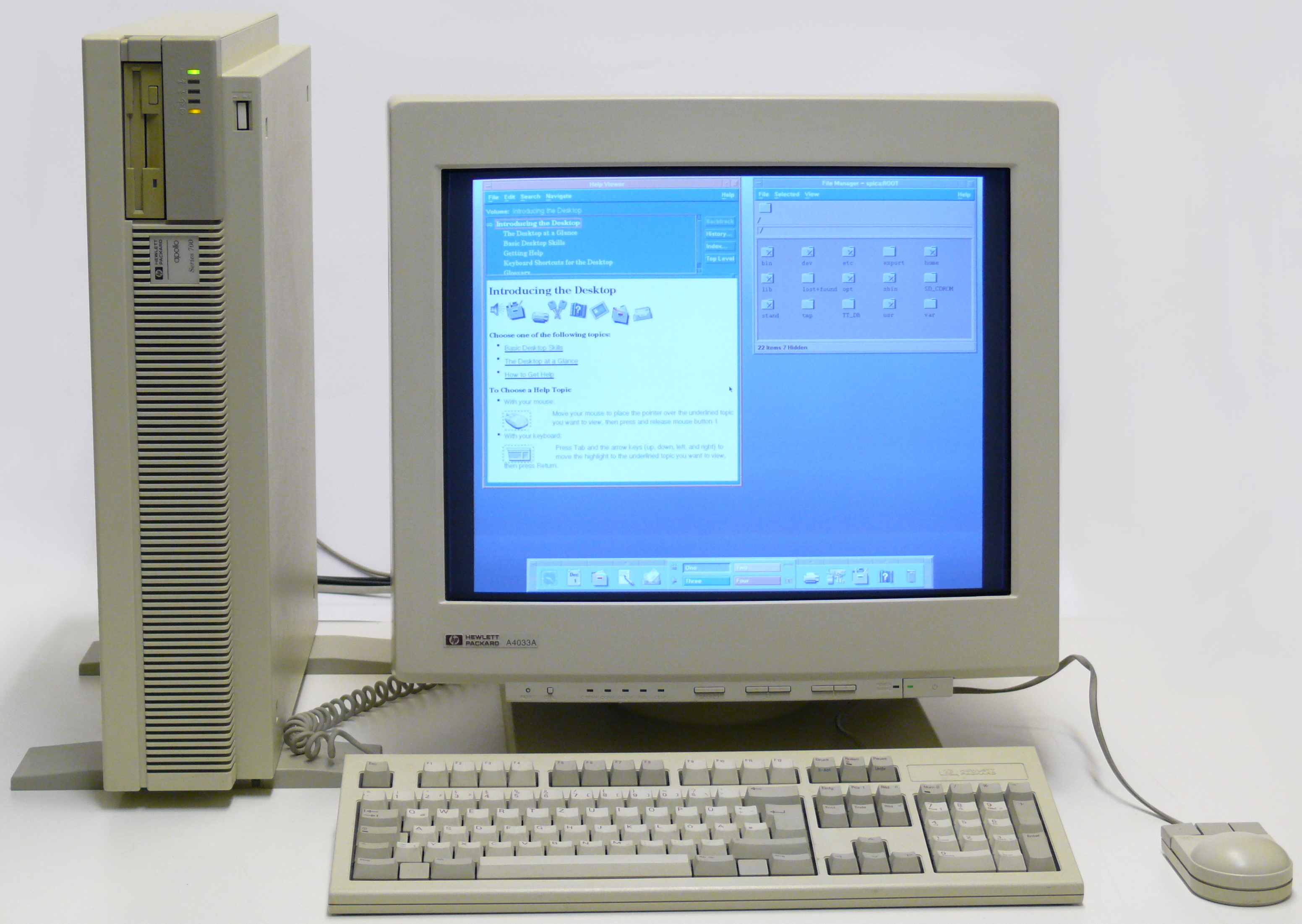
This blog is an example of a Web 2.0 application. The world wide web is providing me a free blog hosting service. I have created this blog and now you, as the reader, have the option to comment, share, post it or even try to recreate your own better version of it. Facebook provides me a social networking site. Wikipedia allows me to read information and now change it (unlike in Web 1.0 where users could not change anything). Looking through the lens of an educator, when a student uses Web 2.0 they no longer memorize the information - they "make" or "create" using that information. Nothing is static or one-sided.
Though not every post will be about Web 2.0, I do plan to further your understanding of Web 2.0 and give you ample examples of Web 2.0 applications that can be used in the classroom. Stay tuned you poor, unlucky souls who have been assigned to read my blog.
Cheers,
Sara
Subscribe to:
Posts (Atom)